The Dark Side Of Push Notifications: What Advertisers Need To Know
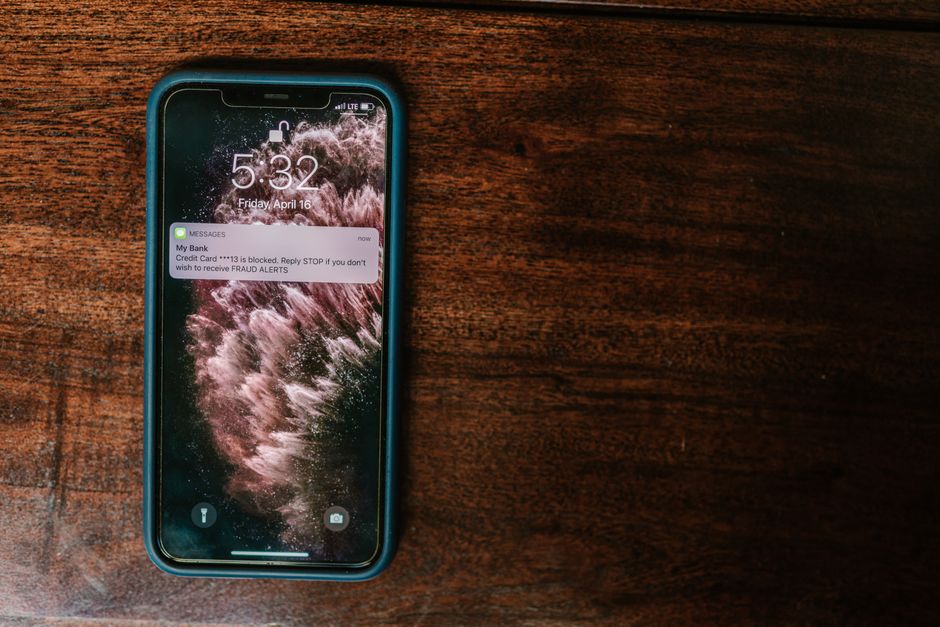
Push notifications are among the most direct channels in digital marketing. One click on “Allow” and a brand can reach someone on their desktop or phone without an inbox, an algorithm, or a search ranking in the way. That directness is why advertisers love the format. It is also why scammers have adopted it. Security researchers at Malwarebytes have described how bad actors trick people into granting notification permissions and then use that access to send fake alerts, phishing lures, and scareware.
For legitimate advertisers, this is not a side story. Every deceptive prompt and every fake “your device is infected” pop-up wears down user trust in the channel as a whole. The long-term value of push advertising depends on separating honest opt-ins from manipulative ones, and advertisers have more influence over that than they tend to assume. Below is how the scam works, why it matters for your campaigns, and what responsible marketers can do about it.
How The Scam Usually Starts
Most notification scams begin with a page designed to make clicking “Allow” seem harmless or required.
- Fake CAPTCHA prompts that say “Click Allow to prove you’re not a robot.”
- Video or download pages that claim content will only play or unlock after permission is granted.
- Age or region “verification” screens that are really just permission requests.
- Redirect chains from low-quality sites, where users land on pages they never meant to visit.
- Prompts made to look like operating system dialogs rather than browser requests.
- Pages that keep re-asking until a frustrated user gives in.
The common thread is consent obtained through deception. The user believes they are doing one thing and is actually agreeing to something else. Once the click happens, the scammer has a channel that outlasts the browsing session.
Why Notification Permission Is So Valuable To Scammers
To a scammer, a granted notification permission is a lasting foothold. Email and SMS have spam filters to get past. This doesn’t.
- Notifications show up outside the browser tab, often looking like system messages.
- They keep arriving after the user has left the original site.
- Many users have no idea which sites they have allowed, or how to revoke access.
- Messages can be sent at any time and timed to catch people off guard.
- The visual format leaves little room for context, so it is hard to tell a fake from a real alert.
- One deceptive opt-in can be monetized repeatedly with different scam payloads.
This persistence is the point. As Malwarebytes and other security voices have noted, scammers aren’t after one click. They want ongoing access to a person’s attention, and a notification subscription gives them that.
The Most Common Scam Notification Formats
After permission is granted, the messages tend to fall into a handful of familiar patterns.
- Fake security warnings saying the device is infected and needs immediate action.
- Phony prize, giveaway, or “you’ve been selected” alerts.
- Fake delivery or account-problem notices that lead to credential-harvesting pages.
- Messages imitating well-known brands, banks, or software vendors.
- Adult or dating-themed lures built to provoke impulsive clicks.
- Fake subscription renewal notices pushing people toward payment pages.
These formats work on urgency and fear more than on any real offer. They are built so the user acts before thinking, which is the opposite of how a legitimate brand relationship should work.
Why This Hurts Legitimate Advertisers
You may assume scam notifications are someone else’s problem. They aren’t. Abuse in this channel costs honest brands directly.
- Users who have been burned get reflexively suspicious of every permission prompt.
- More people deny permission or turn off notifications at the browser level altogether.
- Browsers add stricter defaults that also hit well-behaved publishers.
- Press coverage of scams can attach a stigma to the whole format.
- Brand safety teams grow wary of push as a channel and sometimes block it outright.
- Real offers get dismissed because they look like the scams people have learned to ignore.
Push suffers from a classic shared-resource problem: user attention and trust are common goods, and bad actors are using them up. Advertisers who want the channel to stay effective have good reason to care about how it is policed.
How Browsers And Platforms Are Responding
Browser vendors have been tightening notification rules for years, and those changes affect everyone who runs push campaigns.
- Several major browsers now require a user gesture before a site can show a permission prompt.
- Chrome added a quieter permission UI that minimizes prompts on sites with low acceptance rates.
- Sites flagged for abusive notification behavior can have their prompts suppressed automatically.
- Settings pages make it easier for users to see and revoke site permissions.
- Security tools increasingly detect and help remove malicious notification subscriptions.
- Ad networks are under growing pressure to screen out deceptive landing pages.
The direction is clear: enforcement is getting stricter, not looser. Advertisers who build their strategy around honest opt-ins will do fine under these rules. Those who depend on tricks will see their reach disappear.
Red Flags In Your Own Opt-In Flow
Responsible marketers sometimes slide into gray-area tactics without noticing. Audit your permission requests for these warning signs.
- Prompts that fire immediately on page load, before the visitor has seen any value.
- Copy that implies permission is required to view content when it isn’t.
- Pre-prompts that mimic system dialogs or CAPTCHAs.
- No clear explanation of what kind of notifications the user will get.
- Repeated prompts after a user has already declined.
- Landing pages whose promise has nothing to do with the notifications that follow.
If an opt-in only works because the user misunderstands it, it isn’t really an opt-in. Fixing these issues may lower raw subscription numbers, but the subscribers you keep will be worth much more.
Building Clean Subscriber Lists
Healthy push audiences come from clear value and honest framing, not volume at any cost.
- Explain the benefit in plain terms: deals, updates, reminders, or alerts the user actually wants.
- Ask for permission after a meaningful interaction, not as a gate at the door.
- Use a soft pre-prompt so users can decline without triggering the browser-level block.
- Match notification content to what was promised at signup.
- Make it obvious how to unsubscribe or manage frequency.
- Regularly prune inactive or unresponsive subscribers instead of blasting them anyway.
A smaller list of people who knowingly chose to hear from you will outperform a bloated list collected through confusion. It is also far less likely to draw complaints, browser penalties, or brand safety flags.
Vetting Traffic And Partners
When you buy push traffic, you inherit some responsibility for how those subscribers were acquired. Due diligence is part of the job.
- Ask partners directly how their subscriber bases are built.
- Watch for traffic sources with unusually high click rates and almost no downstream conversions.
- Monitor landing pages and creatives for misleading claims, including in your own campaigns.
- Avoid creatives that imitate system warnings or security alerts, even if they “perform.”
- Use fraud and quality monitoring to catch anomalies early.
- Drop sources that repeatedly send low-intent or suspicious traffic, whatever the price.
Cheap traffic from deceptive opt-ins is not a bargain. It is a liability that shows up later as wasted budget, chargebacks, and reputational damage.
What Users Should Know (And Why You Should Tell Them)
Educated users are better users, for safety and for marketing. Brands that help people understand notifications build credibility.
- Real sites never need notification permission to prove you are human.
- Browser notifications can be managed or revoked anytime in settings.
- Alerts claiming your device is infected are almost never legitimate when they come from a website.
- Unfamiliar notifications should be traced back to the site that sent them and blocked if needed.
- Security software can help detect and clean up unwanted notification subscriptions.
- A trustworthy brand will clearly say what it plans to send before asking.
Brands that are open about how notifications work set themselves apart from scammers who rely on confusion. Clear guidance in your help pages or onboarding can turn a skeptical visitor into a willing subscriber.
Final Thoughts
The scam playbook Malwarebytes describes doesn’t show that push notifications are broken. It shows how much they are worth. Scammers target this channel because it gets people’s attention directly and persistently. That same strength is what makes push useful for honest advertisers, provided users still trust it.
Protecting that trust is a business decision. Advertisers who insist on transparent opt-ins, vet their traffic sources, avoid fear-based creatives, and respect user choice are the ones who will still have a working channel as browsers keep tightening their rules. Those cutting corners are borrowing against everyone’s future reach.
Scammers want your users’ “Allow.” Responsible advertisers want them to actually mean it.
Ready to put this into action?
DailyClicks helps advertisers reach the right audience with programmatic native, push, pop-under, and display campaigns. Sign up and get 1,000 free clicks to test the platform.